
SPECIAL LEARNING NEEDS CONSULTANT
...Making learning and technology easy, accessible, affordable and available for everyone
...Making learning and technology easy, accessible, affordable and available for everyone
Page 5 of 7

Olufemi S. A. Bayode on 07 Aug 2020 @ 23:21:40 with 20 comments
There is no how one can be 100% perfect, alright and self-sufficient; this is the situation with my lovely NVDA screen reader. Its less support for some Microsoft Office Suite products makes JAWS boast like indispensable screen reader. I for one who don’t really like JAWS as such will come acting loyal during these times. Let’s take a look at NVDA behavior in Microsoft PowerPoint.
Non-Visual Desktop Access (NVDA) also supports Microsoft Office PowerPoint. You can read, create, edit; and even do much more with NVDA in Microsoft Office PowerPoint. Interaction with the programme is enhanced by the NVDA hot keys, Microsoft Office keyboard shortcuts for general windows’ navigation and P ...
Olufemi S. A. Bayode on 05 Aug 2020 @ 13:05:20 with 20 comments
The growth of NVDA user community is at geometric progress. This holds to the flexibility, accessibility, extensibility and frequent improvement of the screen reader. If for nothing, it’s been the only free screen reader that stand neck to neck with JAWS in functionality for about a decade. It has many contributors across the globe who see to the development of add-ons which gives more energy to NVDA to remain relevant till date; and helping millions of persons with blindness and visual impairment have a fair share of the global benefit of information and communication technology.
NVDA add-ons are mini programme packages developed to provide extra features or enhance the existing fun ...
Olufemi S. A. Bayode on 05 Aug 2020 @ 13:02:48 with 20 comments
A big thanks for your likes, tweets and comments as well as shares, which enable other people benefit from the tips and tutorials I post on this platform. You are such an amazing person for helping people discover and impact the world around them. Do keep keeping on with the kind gestures. I believe with you our community will stride to keep up with advancement in technology in this ever changing world.
I want to welcome every computer starter and individuals who have switched to the NVDA screen reader to haven of sweet computer experience. Believe when I tell you: “you made the right choice!” Although, it is observed that getting use to the NVDA screen reader as a new ...
Olufemi S.A. Bayode on 05 Aug 2020 @ 12:55:09 with 20 comments
I'm sincerely sorry for not posting any article yesterday. My PC and I were not feeling too well yesterday. I had a stomach ache while my computer had a booting palava. I was unable to attend to it until late in the night when I was better. Please, do bear with me.
It’s highly important to ensure easy readability of a Microsoft Office Excel Worksheet while creating one for the use of individuals with visual impairment. They need to know which cell holds which data as well as establish relationship between the cell and the column or row regardless their position in the Worksheet. Hence, the best guide for accessibility tailored Worksheet is wrapped knowledge of the ...
Olufemi S. A. Bayode on 05 Aug 2020 @ 12:48:40 with 20 comments
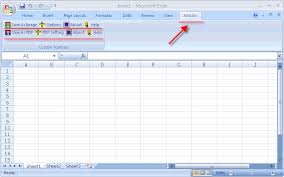
Highlighting is a process of marking a cell or range of cells for the purpose of adjustment or change. This change includes bolding, copying, cutting, italicising, alignment, deleting, etc. it should be noted that highlighting text, figures or formulae is necessary before performing any of the earlier listed changes in the Microsoft Excel.
You may follow the standard Windows’ technique using the SHIFT key in conjunction with any navigation pattern for highlighting purpose. However, Excel also has some of its own specialised method of highlighting and selecting cell or range of cells in a worksheet. This will be discussed in this post with example.